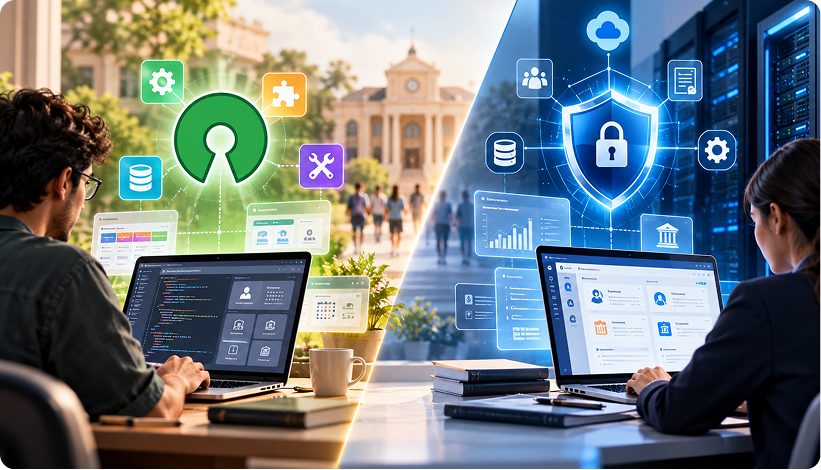
Choosing between open-source and enterprise college ERP affects data security, customization, maintenance and costs. The right choice depends on an institution’s requirements and technical resources.
What Is Enterprise College ERP Software?
Enterprise college ERP software connects academic and administrative operations through a centralized platform covering admissions, attendance, examinations, fee management, faculty records and student services. Typically provider-maintained, it operates through a licensing or subscription arrangement, with the provider managing the core software and updates.
By connecting these functions, an ERP helps institutions manage student records, examination eligibility and financial reporting. Support and maintenance responsibilities vary by provider and deployment model.
What Is an Open-Source ERP?
An open-source ERP makes its source code available under the terms of its licence, allowing institutions and development partners to inspect, modify and extend the software to meet specific requirements.
Customization requires ongoing testing, dependency management and security updates. Although licensing costs may be low or absent, institutions must budget for:
- Implementation and data migration.
- Hosting and infrastructure management.
- Custom development and integration.
- Security monitoring and vulnerability management.
- Backups, upgrades and technical support.
- Staff time for testing and ongoing maintenance.
Open-source higher education ERP can suit institutions with the technical expertise to manage these responsibilities. Its long-term value depends on the resources required to maintain, secure and adapt the system as institutional needs evolve.
Open-Source vs Enterprise College ERP: Key Differences
Open-source and enterprise college ERP systems differ in how they handle customization, security, support and maintenance.
| Evaluation Area | Open-Source ERP | Enterprise ERP |
|---|---|---|
| Source Code | Accessible under the applicable licence | Generally controlled by the provider |
| Customization | Allows code modifications and custom module development | Typically uses configuration, extensions and integrations |
| Security Updates | Managed by maintainers, internal teams or support partners | Depends on the provider, contract and deployment model |
| Technical Support | Available through internal teams, community resources or paid partners | Typically available through the provider or authorized partners |
| Upgrades | Custom modifications may require compatibility testing | Supported upgrade processes may simplify maintenance |
| Scalability | Depends on architecture, infrastructure and implementation | Depends on architecture, licensing and deployment capacity |
| Long-Term Costs | Development and maintenance can offset lower licensing costs | Licensing, implementation and support costs vary by provider |
Neither model is automatically more secure, scalable or economical. The relevant differences lie in how the software is maintained and whether the institution has the resources to manage it effectively.
Source Code Access vs Proprietary Security Models
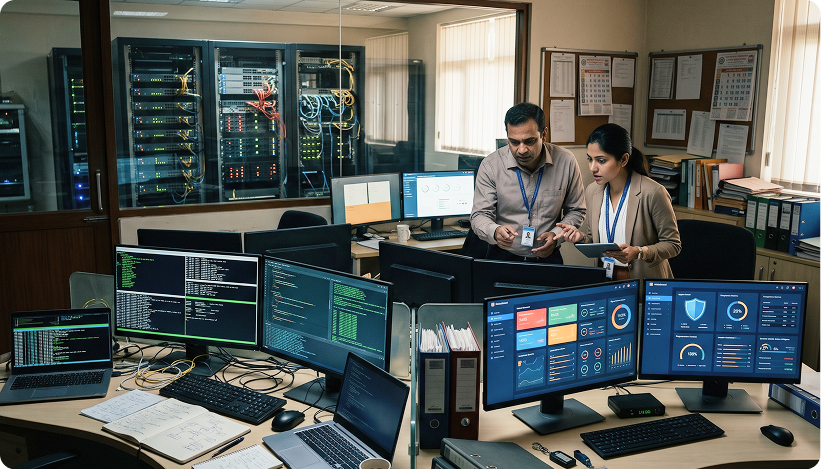
Open-source software allows developers to inspect source code and identify weaknesses, but visibility does not guarantee that vulnerabilities will be fixed promptly. Enterprise providers may manage vulnerability assessments, patches and notifications. Neither model guarantees better security.
When evaluating College ERP Security, institutions should establish:
- Who monitors security advisories and identifies vulnerabilities.
- Who is responsible for applying patches.
- How critical security issues are prioritized.
- What support is available when a vulnerability affects a customized module.
Patch Deployment and Vulnerability Management
Delayed updates can expose sensitive student and financial information.
With open-source software, updates may be managed by project maintainers, internal IT teams or implementation partners. Custom modules require additional compatibility testing. Enterprise providers may manage patches through support arrangements, but colleges should confirm which components are covered and how urgent fixes are delivered.
In-House Development vs Vendor-Supported Modules
Open-source systems offer flexibility to modify code and develop specialized modules. However, custom changes require documentation, testing and ongoing maintenance.
Enterprise systems generally support customization through configurable workflows, extensions and integrations. If a requirement falls outside the available functionality, institutions may need a custom extension or an alternative workflow.
Total Cost of Ownership (TCO) and Long-Term Maintenance
The initial price of a College ERP does not reflect its full cost. Open-source systems may reduce licensing expenses but require investment in IT expertise, security updates and custom development. Enterprise ERP may involve licensing or subscription fees, implementation charges and support costs.
Colleges should compare total costs over several years, including integration maintenance, data protection and future upgrades. Lower upfront costs do not necessarily mean lower long-term expenditure.
Data Privacy and Compliance Readiness
College ERPs may contain student records, faculty information, financial transactions and examination results. Protecting this data requires appropriate controls and clear responsibilities.
India’s Digital Personal Data Protection Act, 2023, and the Digital Personal Data Protection Rules, 2025, establish a framework for handling digital personal data, subject to applicable provisions and phased commencement dates. Institutions should verify their obligations rather than assume ERP adoption guarantees compliance.
Practical safeguards to evaluate include:
- Role-based access control: Restrict access according to users’ responsibilities.
- Encryption: Protect data in transit and assess encryption at rest.
- Audit logs: Record relevant access and changes to sensitive records.
- Backup protection: Protect backup copies and restrict unauthorized access.
NAAC accreditation is an institutional quality assessment, not a cybersecurity certification. An ERP can organize academic records but does not establish accreditation readiness.
Why Security and Customization Matter in College ERPs
Colleges have institution-specific requirements for course structures, examinations, fee schedules, approvals and academic calendars. An ERP must support these processes while protecting sensitive information and keeping customizations manageable.
Protecting Student, Financial and Faculty Data
Role-based access control (RBAC) limits access according to each user’s responsibilities. For example:
- Accounts clerk: Access fee transactions, receipts and relevant financial records.
- Examination staff: Access examination schedules, eligibility records and results according to assigned permissions.
- Faculty member: Access attendance and academic records for assigned courses.
- Admissions administrator: Access applicant information and admission documents required for the role.
Permissions should be reviewed when responsibilities change or employees leave. Encryption helps protect information during transmission and, where implemented, while stored.
During an ERP demonstration, request a walkthrough of:
- The role-permission matrix and how permissions are updated.
- The audit trail for access and modifications to sensitive records.
- Backup protection and the process for restoring data.
The objective is to verify how these controls work in practice, not simply confirm that the product lists them as features.
Tailoring Workflows to Academic Policies
Admission approvals, course registration, internal assessments and examination eligibility can follow different procedures across institutions. Custom college ERP software can accommodate these requirements through configuration, extensions or custom modules.
For example, a college may require multiple approval stages before finalizing admissions or specific reports for Course Outcomes (CO) and Program Outcomes (PO). Existing configurations should be explored before commissioning custom development. Any necessary changes should be documented, tested and included in upgrade plans.
Integrating LMS Platforms, Payment Gateways and Portals
College ERPs exchange information with learning management systems (LMS), payment gateways and student portals. Integration can reduce duplicate data entry and improve record consistency.
Institutions should define which system maintains authoritative records, what information is exchanged and which applications can initiate transfers. Secure authentication, permissions, data transmission and error logging should be addressed, with integrations retested after updates. Integration quality depends on available interfaces, documentation and implementation.
Eliminating Risks from Unmaintained Custom Code
Poorly documented customizations can become incompatible with ERP updates, complicating maintenance and security fixes. Colleges can reduce these risks by:
- Separating customizations: Use supported extension mechanisms where available.
- Documenting changes: Record each module’s purpose and dependencies.
- Assigning ownership: Identify who maintains each customization.
- Testing upgrades: Verify custom features and integrations before deployment.
These practices help keep both open-source and enterprise ERP systems secure, maintainable and adaptable over time.

Key Features of Edumate ERP for Higher Education
Edumate is iTech India’s AI-integrated ERP platform for higher education. Its published product features cover admissions, academic administration, faculty management, grievance handling and financial operations.
Enrollment and Admissions Management
Edumate supports admission workflows through:
- Online applications: Applicant submissions and document management.
- Admission dashboards: Real-time visibility into application progress.
- Status and history tracking: Records applicant progress and changes.
- Phase-wise admissions: Organizes admissions across different phases.
- Year-on-year comparisons: Helps track changes in application volume and acceptance.
Academic and Course Administration
The platform supports academic planning and administration through:
- Course and curriculum management: Organizes courses, curricula and lesson plans.
- Attendance tracking: Monitors attendance course-wise.
- CO-PO mapping: Links Course Outcomes to Program Outcomes for outcome-based education.
- Department and branch administration: Supports faculty assignments, resource management and budgeting.
Faculty and Performance Analytics
Edumate’s faculty management features include:
- Faculty profiles: Records qualifications, professional memberships and industry involvement.
- Subject allocation: Maps faculty members to subjects each semester.
- Timetable management: Supports faculty scheduling and conflict-free timetables.
- Performance analysis: Uses internal and final examination results to assess academic performance.
- Mentor-wise analysis and faculty comparisons: Helps identify performance differences and potential skill gaps.
Grievance Redressal
Edumate includes a grievance management module described on its product page as AICTE-compliant. Its listed features include:
- Committee-based categorization: Organizes grievances under hostel, transport, general and departmental committees.
- Status tracking: Tracks grievances through Open, Reopen, In Progress, Resolved and Closed.
- Grievance summaries: Records the complainant, submission date, priority and attachments.
Institutions should verify applicable regulatory requirements and confirm that the implemented process meets them.
Integrated Fee and Financial Operations
Edumate centralizes fee-related processes through:
- Fee collection and receipts: Records payments and generates receipts.
- Payment gateway integration: Supports online fee payments.
- Defaulter tracking and reminders: Identifies outstanding fees and supports automated reminders.
- Scholarship management: Maintains records for eligibility, disbursement and renewal.
- Multi-location fee consolidation: Brings collection information across multiple locations into one system.
When evaluating Edumate or any college ERP, institutions should assess these functional capabilities alongside security controls, update arrangements, customization options and technical support commitments.
Choose a Secure and Customizable ERP for Your College
The right college ERP depends on institutional requirements, technical capacity and long-term maintenance needs. Before selecting a system, ask prospective providers for:
- Patch history: How are vulnerabilities addressed and updates communicated?
- Access controls: Can the institution review user permissions and audit logs?
- Customization ownership: Who maintains custom modules and tests upgrades?
- Backup and recovery: How are backups protected and restoration tested?
Edumate centralizes academic and administrative functions. Explore Edumate ERP for Higher Education Institutions to review its features and discuss your institution’s requirements with iTech.