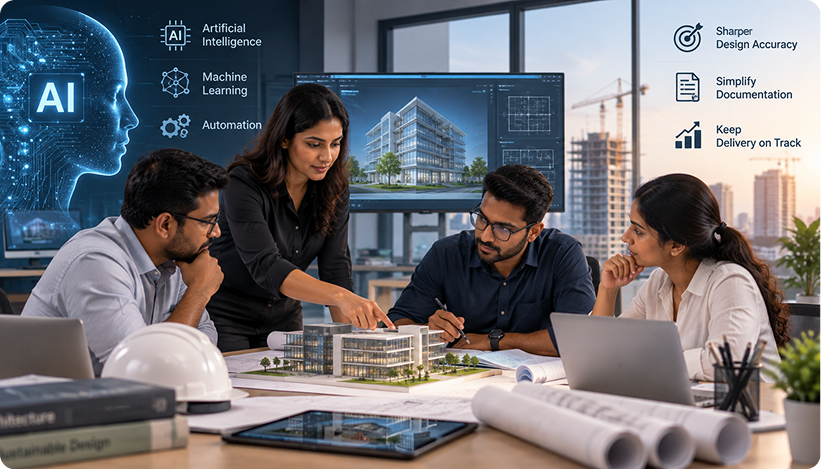
Artificial intelligence, machine learning, and automation are reshaping how architecture and engineering (A&E) firms operate. As projects grow more complex and client expectations rise, firms are turning to advanced software to sharpen design accuracy, simplify documentation, and keep delivery on track.
Whether you’re weighing AI-assisted design review, automated drawing processing, or a legacy system upgrade, understanding how these tools fit your workflow matters. Below are answers to the questions A&E firms ask most often.
Project Lifecycle Optimization & System Integration
At what points in a project can intelligent software have the most impact?
AI supports every stage: generative simulation at concept, automated compliance checks and BIM coordination during planning, drawing validation during documentation, monitoring through construction, and performance analysis once a project wraps, feeding lessons into the next one.
Will this integrate with the design and project management platforms we already run?
Yes. Intelligent solutions connect to your existing CAD/BIM platforms, project management software, ERP, and document management systems through APIs, connectors, and middleware, letting you add capability without disrupting ongoing projects or replacing what already works.
Can the software be configured to match how our firm operates day to day?
Yes. Configuration accounts for your project stages, design standards, delivery approach, and quality procedures, along with discipline-specific needs across civil, structural, and MEP work, plus regulatory requirements and client-specific deliverables your teams already follow.
We have an idea still in the early stages. How can we validate it before investing further?
Rapid prototyping turns an idea into a working proof of concept, surfacing requirements early and testing the workflow with real users. This catches problems before they get expensive and refines the solution through iterative feedback cycles.
How does AI fit into the rest of our business systems?
Yes. AI capabilities integrate with cloud platforms like AWS, Azure, and Google Cloud, on-premises servers, BIM/CAD software, document systems, and business applications via APIs, message queues, and data pipelines, extending current technology investments.
What happens to unstructured data that isn't digitized data?
NLP and large language models read specifications, meeting notes, RFIs, and manuals to pull out key clauses, flag obligations, identify entities, and convert dense text into searchable, analyzable formats, saving hours of manual digging.
Data, Analytics, and Machine Learning
What kind of operational insight can predictive modeling deliver?
Analytics and machine learning surface project risk, resource allocation issues, design performance, schedule slippage, cost overruns, and change patterns, shifting firms from reacting to problems toward catching them early through forecasted delays and workload optimization.
What should I expect from advanced analytics on my projects?
Real-time dashboards, pattern recognition across design and construction data, sharper cost and schedule forecasting, and decisions backed by data rather than guesswork. Machine learning also surfaces less obvious correlations, like how a design choice affects buildability later.
How can generative AI support content and knowledge work on A&E teams?
Generative models can draft, summarize, and adapt project narratives, specification sections, proposals, and training material in your firm’s own style and terminology, speeding up documentation while keeping tone and standards consistent across every team.
Can machine learning models be trained on our own project data?
Yes. Custom development and fine-tuning train the system on your data, so results reflect your workflows, standards, and goals. Transfer learning adapts existing AI architectures to your specific corner of the A&E field.
How do these systems stay accurate as our projects and data change?
Ongoing model monitoring and continuous learning let systems adapt as new data arrives. Retraining happens incrementally rather than as a full rebuild, and drift detection flags accuracy slips so retraining kicks in before it matters.
What's the actual payoff of investing in a custom-built model versus an off-the-shelf one?
More accurate predictions for your specific project types, automation of repetitive tasks, stronger strategic decisions from data you already generate, tighter security through controlled deployment, and a proprietary edge over firms relying on generic tools.
How can we improve drawing reviews using images and models across projects?
Computer vision and convolutional neural networks scan drawings for clashes, check compliance, pull data from technical images, and automate quality checks, making reviews more consistent and cutting the time spent on manual oversight considerably.
Agentic AI Systems
What's the difference between predictive analytics and agentic AI?
Predictive analytics forecasts what’s likely to happen, flagging risks or delays for a person to act on. Agentic AI goes further: it acts on its own within defined boundaries, routing a submittal or triggering a follow-up without waiting for review.
Which A&E workflows are best suited for AI agents to start with?
High-volume, rules-based tasks are the natural entry point: RFI routing to the right discipline lead, submittal tracking and status updates, and clash coordination follow-ups. These have clear triggers and predictable next steps, making them lower-risk starting points.
Can AI agents work within existing BIM/CAD platforms and project management tools without disrupting live projects?
Yes. Agents operate through the same APIs and connectors used for other integrations, working inside your current BIM/CAD environment rather than replacing it. They can be deployed on a subset of tasks first, running alongside manual processes undisturbed.
What does a phased rollout of agentic AI look like across a multi-discipline A&E practice?
It typically starts with one defined task in one discipline, like RFI routing on a pilot project, with human review of every action. As trust builds, the agent takes on more autonomously, then expands to adjacent workflows and disciplines.
How do we evaluate whether an AI agent is reliable enough to act autonomously on project documentation and compliance tasks?
Reliability gets tested against historical data and a shadow operation period, where the agent recommends actions a person reviews first. Accuracy and edge-case handling are tracked over time, and autonomy expands only once outcomes consistently match manual review.
Do AI agents replace architects and engineers, or support their design and review decisions?
They support, not replace. Agents handle the repetitive, well-defined parts of documentation and compliance work, freeing architects and engineers to focus on design judgment and technical calls that genuinely require professional expertise and accountability.
Intelligent Document Processing & Drawing Automation
Which A&E documents can be automated for data extraction?
Intelligent Document Processing handles architectural drawings, engineering schematics, BIM models, site surveys, specification sheets, compliance certificates, invoices, purchase orders, contracts, and submittal logs, with computer vision and NLP pulling accurate data from drawings and forms.
How does document automation help across the full project lifecycle?
It removes manual drawing review, speeds up approvals, keeps data consistent across platforms, and keeps information moving from design through tendering into construction administration. Extraction that used to take hours now happens in minutes, speeding up RFI turnaround.
Can document workflows plug directly into my BIM, CAD, and project management tools?
Yes. Integration with platforms like Revit and ArchiCAD, along with other CAD and project management software, means extracted data moves automatically downstream without manual re-entry, keeping everything traceable and consistent across your digital environment.
How do legacy drawings, scanned plans, and PDFs get folded into a modern digital workflow?
OCR and intelligent classification digitize older files, structuring and normalizing content so historical documents sit alongside current digital ones in the same workflow, effectively building a complete archive of your firm’s project history.
Can the system handle poor scans, handwritten notes, or unusual drawing formats?
Yes. Computer vision and deep learning work with faded prints, skewed scans, handwriting, and non-standard layouts. Confidence scoring flags anything uncertain for human review, and accuracy improves continuously as the models process more drawings over time.
Can AI catch compliance issues and code violations in engineering drawings?
Yes. Validation engines check drawings against building codes, accessibility standards, fire safety codes, MEP requirements, and client specs, flagging missing elements, safety issues, and dimensions that don’t add up before they become costly problems.
Can validation rules be customized by project type or client?
Yes. Rules can be tailored for residential versus commercial work, new construction versus renovation, specific client standards, and regional code variations, ensuring validation reflects the actual requirements of each individual project rather than generic defaults.
Can AI speed up cost estimation and bidding?
Yes. Automated bill-of-materials extraction links to pricing databases to generate preliminary estimates quickly, making bid preparation faster and scenario comparisons easier, so teams can respond to opportunities without the usual manual estimation delay.
Does cost estimation connect with supplier pricing and historical project data?
Yes, linking bills of materials to supplier catalogues, internal pricing history, and market indices for real-time validation and benchmarking, helping estimates stay grounded in current costs rather than outdated assumptions from past bids.
How does AI keep architectural, structural, and MEP drawings consistent with each other?
Cross-disciplinary validation checks for clashes between layouts and structural elements, flags MEP conflicts, verifies dimensions line up across disciplines, and surfaces discrepancies before they reach construction, where fixes become far more expensive.
Legacy System Modernization & Data Reuse
My current software has no intelligent features. Can it be upgraded?
Yes. AI and machine learning can be layered onto existing systems through APIs, plugins, or an intelligent data layer, without a full rebuild or disruption to ongoing work, preserving your current investment while adding capability.
How do I modernize without disrupting projects already underway?
Through a phased approach: legacy systems keep running while new components are introduced and tested alongside them. Pilots, staged rollouts, and parallel operation give teams time to adapt gradually without interrupting active project delivery.
How do I make sure modernization improves performance instead of creating new problems?
Systems get redesigned to remove legacy bottlenecks, streamline data flow, and take advantage of cloud scalability, with KPIs and benchmarks tracking whether performance genuinely improves rather than simply shifting the bottleneck elsewhere.
What risks come with data migration and system integration?
Format inconsistencies, integration failures, and user pushback are the common ones. These get managed through thorough discovery, phased migration, validation checks, parallel testing, and rollback plans in case something doesn’t go as expected.
How are security and compliance handled during modernization?
Through adherence to GDPR, CCPA, and ISO/IEC standards from the outset, encrypted storage, strict access controls, ongoing monitoring, and security assessments before go-live, ensuring compliance is built in rather than added afterward.
How do you minimize downtime while modernizing?
Phased deployments and blue-green rollout strategies keep critical work running while systems are upgraded, with rollback options available if issues come up, protecting project timelines from unplanned interruptions during the transition.
How do I make sure new systems can support what's coming next, like generative design or IoT?
Modular, cloud-ready architecture built on microservices and API-first design gives you room to bring in generative AI, IoT sensors, and real-time collaboration tools as they mature, without requiring another disruptive overhaul later.
What kind of ROI can a modernization program deliver?
Lower IT overhead, faster delivery, fewer design errors, less rework, quicker drawing turnaround, better resource use, and systems that scale without costs climbing in lockstep, translating directly into measurable margin improvement over time.
How can data locked in legacy or siloed formats be standardized and reused?
Extraction and normalization pull data from legacy formats into standardized schemas, making it usable across modern BIM tools, dashboards, and reporting rather than sitting locked away in an isolated, hard-to-search archive.
How can historical project data support analysis and forecasting?
Older drawings, reports, and specifications hold real institutional knowledge. Once extracted, cleaned, and structured, that data supports trend analysis, risk forecasting, and benchmarking against past work, turning archives into a genuine strategic asset.
Security, Compliance, and Data Governance
How long is extracted document data stored?
Uploaded drawings and extracted data are retained for 24 hours by default and then automatically deleted, limiting long-term exposure. Retention periods can be adjusted based on individual project or compliance requirements as needed.
How is sensitive project data protected while meeting global compliance standards?
Through encryption, secure cloud storage, role-based access, ongoing monitoring, and alignment with standards like GDPR and ISO 27001, ensuring sensitive information stays protected at every stage of the project lifecycle.
How is my project data handled securely and in compliance with regulations?
Secure cloud architecture, encrypted channels, role-based access, and adherence to GDPR, ISO 27001, SOC 2, and industry-specific standards govern data from collection through processing, storage, and eventual deletion.
How are drawings and extracted data stored to meet enterprise standards?
In secure cloud environments with encrypted storage, network isolation, role-based access, and continuous monitoring, all aligned with ISO standards and enterprise policy requirements throughout the entire data lifecycle.
What's the retention policy for uploaded drawings and extracted results?
A 24-hour default retention period applies, with automatic deletion afterward to limit exposure. Extended retention can be arranged for specific project, legal, or compliance needs when circumstances require it.
How is compliance with data protection standards maintained?
Through adherence to GDPR and CCPA, internal controls, regular audits, penetration testing, staff training, and privacy built into the design process from the start, with third-party assessments confirming compliance regularly.
Adoption, Testing, and Support
Are there real examples of automated drawing extraction improving A&E workflows?
Yes. Whitepapers and case studies show measurable gains in extraction accuracy, reduced manual review time, and faster downstream work, from spec writing to bid preparation, demonstrating ROI across multiple A&E disciplines.
Can I test extraction on my own drawings before rolling it out firm-wide?
Yes. Our experience platform lets you upload your own drawings and documents to evaluate accuracy and workflow performance directly, before committing to broader, firm-wide adoption and scaling decisions.
How do I get support for specific drawing formats or standards?
Our technical support team can work through custom requirements, troubleshoot issues, and build enhancements for specific CAD formats, layer standards, or regional notation systems, including custom extraction models where needed.
Ready to Transform Your A&E Practice?
Intelligent software is now essential for A&E firms aiming to deliver higher-quality projects faster and within budget. Whether you want to unlock value from legacy drawings, automate document-heavy processes, or deploy agentic AI for autonomous workflow support, the right technology partner accelerates your digital evolution.
Start with a pilot project, measure results against your KPIs, and scale what works. The future of A&E is intelligent, integrated, and increasingly autonomous, and it’s available now.
Contact us to discuss how AI-powered solutions can address your firm’s specific challenges and deliver measurable outcomes.